Axpert 11
TStructs (Forms)
- Create Form
- Create DC
- Create Fields
- Grid DC/frames
- Formulae in fields
- SQL in fields
- Drop down fields
- Autogenerate fields
- Table fields
- File upload fields in forms
- Photos &Image fields
- Barcode /QR Code Scanner
- Fill Grid
- Posting data – Gen maps
- Updating fields in DB tables – MD Map
- Toolbars in tstructs
- Tracking changes/Audit trial
- Try it yourself
IViews
Scripts
Axpert Jobs
Axpert Cards
HTML Plug-ins
Users & Roles
- Users, roles & responsibilities
- Responsibilities
- User Role
- User Login
- SSO Authentication
- Stay Sign In
Workflow
Axpert API
Application Var/Params
Publish Axpert Apps
Axpert Mobile
Settings
- Axpert installation
- Change password
- Forgot Password
- Developer Options
- Global Settings
- In-Memory DB
- Notifications for Long Running Webservice’s
- Axpert Configuration on web
- Axpert Licensing
Utilities
Customization
- Main Page Customization
- Home Page Customization
- More API
- Custom User Interface
For Reports - Custom HTML In Forms
- CSS And JS Customization
- Developer Notes
- Hooks In Forms
- Third Party SSO Integration
WebServices
Axfast
Barcode /QR code Scanner
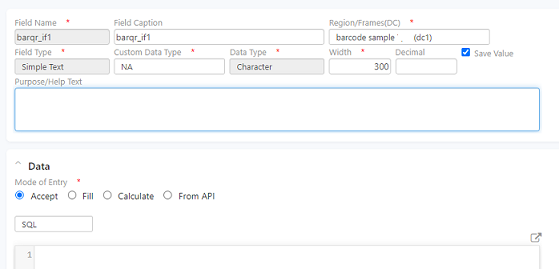
To update data in the system using Barcode or QR code we can use the scan or file upload option. Create a simple text field with “barqr_” as prefix followed by the field name.
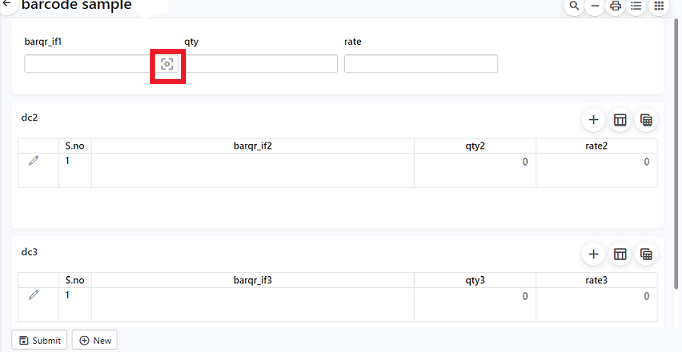
In the run site, a field to update the code is provided as shown below.
Click on the icon, a pop-up appears asking to begin scanning or upload an image to be scanned. Scan the image by granting camera permissions, the details will be updated in the dc
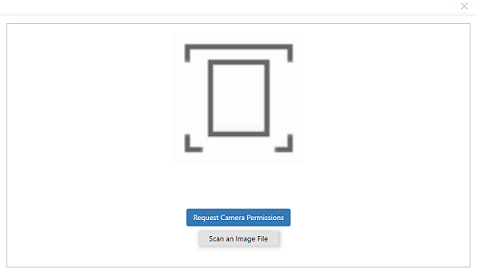
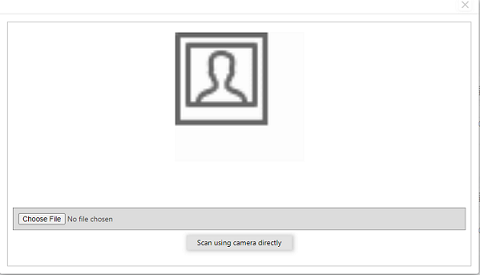
Click on “Scan an image file” to upload an image. A pop-up to upload the file appears as shown.
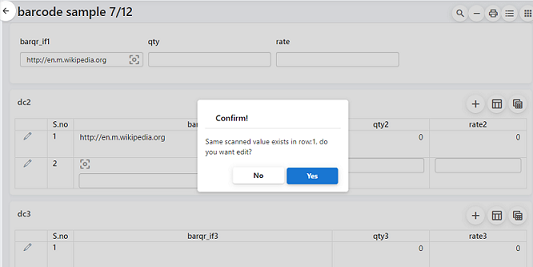
If the same QR code is scanned multiple times in the same dc then a pop-up notifying the duplication appears.
Try Out
Add a field for uploading the files or certificates based on the employee Qualification in dc2 of the Axbox employee form.